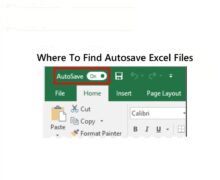
Where To Find Autosave Excel Files: Top Methods
Discover where to find autosave Excel files using Excel’s recovery feature or by checking default folders like AppData for unsaved work.
Continue reading →
Discover where to find autosave Excel files using Excel’s recovery feature or by checking default folders like AppData for unsaved work.
Continue reading →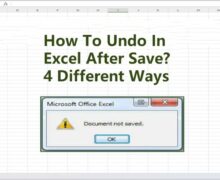
Wondering “how to undo in Excel after save”? We provide the best 4 solutions to revert changes and recover lost data after saving in Excel.
Continue reading →
Learn how to set up autosave in excel to automatically save files. This detailed guide covers Excel 2016, 2013, 2010, and 2007, as well as unsaved and deleted file recovery. What Is AutoSave in Excel The AutoSave option in Excel, Word, PowerPoint, and Office 365 is convenient. As you work on your files, it saves […]
Continue reading →
Are you having trouble can’t find Excel file that you saved? It’s okay! In this article, we will present six effective methods for recovering your lost Excel files. Additionally, we will provide guidance on preventing future data loss, along with tips for safeguarding related documents. Part 1. Understanding the disappearance of saved Excel files. Microsoft […]
Continue reading →
Dealing with the frustrating issues of Excel crashed on Windows 10 is all too common. Not only does it prevent you from opening existing files, but it also poses a risk of losing your current workbook if you forget to enable the auto-save feature in Excel. Excel crashes can create error messages like “Microsoft Excel […]
Continue reading →
Want to automatically save Excel files on Windows 10? This detailed article explains how to activate AutoSave in Excel 2016, 2013, 2010, and 2007. Discover how to restore unsaved and deleted Excel files. Understanding the AutoSave function in Excel. The AutoSave option in Excel, Word, PowerPoint, and Office 365 is convenient. It automatically saves files […]
Continue reading →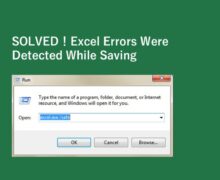
“Excel errors were detected while saving”? Find simple, effective fixes to repair files and prevent data loss quickly and easily.
Continue reading →
Due to the fact that Excel abilities are in high demand in today’s employment market, it is essential to become familiar with the application. Microsoft Excel, on the other hand, might be intimidating due to its extensive vocabulary and functions, in contrast to Microsoft Word and PowerPoint. Even with a solid grasp of Excel, you […]
Continue reading →
Excel’s versatility makes it popular. Personal and professional eating. It’s one of Microsoft’s top three products due to its massive Windows, Mac, and smartphone user base. Excel becomes improved with each update. That said, even powerful tools like Excel can encounter disappointing bugs. One common problem is the inability to save your Excel file, which […]
Continue reading →
Efficiently repair corrupted Excel files with our Excel file repair tool. Recover lost data and get your spreadsheets back in no time.
Continue reading →