
Top 6 Excel File Repair Tool

Nothing is more frustrating than trying to open an Excel file only to be met with an error message. A corrupted Excel workbook can render hours, days, or even weeks of work completely inaccessible, making you feel helpless and panicked. File corruption is a common issue, and the key to solving it is having the right tools. While Excel offers a basic “Open and Repair” feature, it’s often insufficient for severe damage. In such cases, a professional excel file repair tool is your best bet for a successful recovery. This article provides a comprehensive review of the top 6 excel file repair tools on the market, helping you choose the best solution to restore your valuable data.
The Best Excel File Repair Tools
Excel spreadsheet corruption has many causes. You can easily repair these files and protect your data with a reputable Excel recovery solution. Excel file repair software can reliably fix unforeseen data corruption. Excel file repair software often recovers most corrupted files. But realistic expectations and knowing what makes these instruments reliable and successful are essential. Consider these when using Excel File Repair Tool.
1. Kernel for Excel Repair
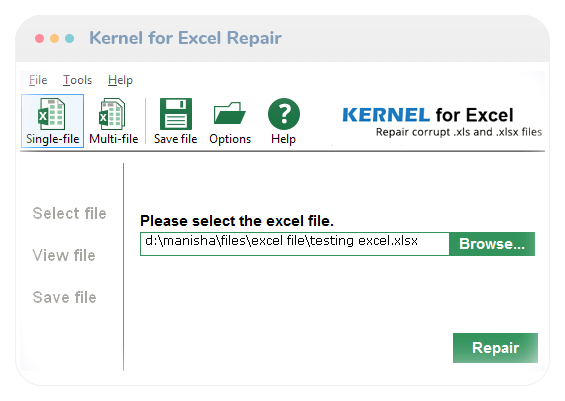
Kernel for Excel Repair is a powerful, professional-grade tool widely recognized for its high success rate in recovering corrupted Excel files. It is capable of recovering complete data, including cell data, formulas, OLE objects, graphs, and hyperlinks, ensuring that the repaired file maintains its original quality.
Pros:
- ✔️ High Recovery Rate: Reliably recovers data from severely damaged files.
- ✔️ Comprehensive Data Recovery: Restores a wide range of Excel elements.
- ✔️ Batch Processing: Can repair multiple files simultaneously.
- ✔️ User-Friendly Interface: Provides a simple and straightforward user experience.
Cons:
- ❌ The free trial version only allows viewing of the repaired file, not saving it.
- ❌ Lacks specific search options for finding information within the recovered file.
2. Stellar Repair for Excel

Stellar Repair for Excel is a robust and highly user-friendly software application for Excel data repair. It is particularly effective at recovering table formulas, numbers, text, images, and patterns from corrupted files. Its intuitive interface makes it a top choice for both beginners and professionals.
Pros:
- ✔️ Wide Range of Data Recovery: Restores virtually all data types within a worksheet.
- ✔️ Intuitive UI: Simple and easy-to-use interface.
- ✔️ Broad Compatibility: Supports a wide range of Excel and operating system versions.
- ✔️ Preview Functionality: Allows users to preview the repaired file before saving.
Cons:
- ❌ Can only save fixed files in a specific format (e.g., XLSX) in some versions.
- ❌ May not support simultaneous repair of multiple files.
3. WinfrGUI
If your file is not only corrupted but has also been deleted or lost, you need a different kind of tool. WinfrGUI is a free, user-friendly graphical interface for Microsoft’s powerful Windows File Recovery tool. It’s an excellent choice for recovering files from various data loss situations, including hard drive damage, malware infection, or accidental deletion. While not a file repair tool in itself, it is a crucial step for recovering the corrupted file before you can attempt to repair it with another excel file repair tool from this list.
Pros:
- ✔️ Completely Free: A cost-effective solution built on Microsoft’s official recovery engine.
- ✔️ Easy to Use: Replaces a complex command-line tool with a simple, intuitive GUI.
- ✔️ High Recovery Rate: Scans the raw sectors of your drive to find files that are no longer in the Recycle Bin.
- ✔️ Versatility: Recovers files from different storage devices.
Cons:
- ❌ Does not repair the file’s content, only recovers the file itself.
4. DataNumen Excel Repair
DataNumen Excel Repair is a reliable file recovery tool with a strong reputation for its comprehensive data recovery capabilities. It provides an excellent solution for repairing both .xls and .xlsx files and is known for its high recovery rate.
Pros:
- ✔️ High Success Rate: Consistently praised for its effectiveness in restoring damaged files.
- ✔️ Supports Multiple Versions: Compatible with a wide range of Excel versions and operating systems.
- ✔️ Drag-and-Drop Function: Simplifies the file selection process.
- ✔️ Command-Line Support: Useful for batch processing and automated repairs.
Cons:
- ❌ Requires a local installation and cannot repair files directly from a cloud or network drive.
- ❌ The interface might feel a bit dated compared to some competitors.
5. Excel Repair Kit
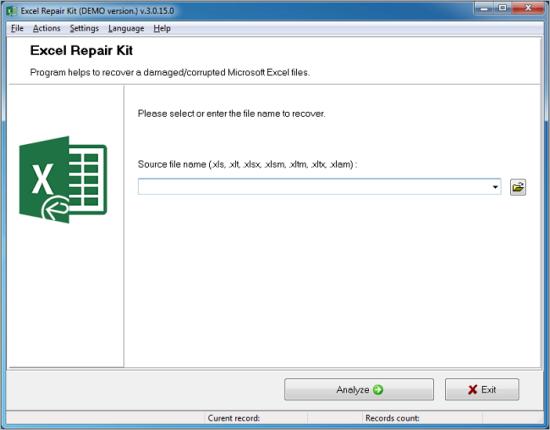
The Excel Repair Kit is a complete Microsoft Excel recovery tool designed for easy and quick repairs of damaged files. It is a no-frills tool that focuses on providing a straightforward solution for various repair scenarios.
Pros:
- ✔️ Straightforward UI: Easy to use, making it ideal for users with minimal technical knowledge.
- ✔️ Recovers Core Elements: Efficiently recovers cell formatting, formulas, and data.
- ✔️ Simultaneous Repair: Supports repairing multiple files at once.
Cons:
- ❌ Lacks a dedicated file search option.
- ❌ May not be compatible with the newest Excel versions, such as Excel 2019 or Excel 365, limiting its use for modern documents.
6. DiskDrill

While primarily a general-purpose data recovery tool, Disk Drill is highly effective at recovering corrupted or deleted Excel files. It scans your entire hard drive for recoverable data, making it an excellent choice for cases where the file is not only corrupted but also missing.
Pros:
- ✔️ Versatility: Can recover virtually any file type, not just Excel.
- ✔️ Deep Scanning: Offers a robust deep scan that can find files that other tools miss.
- ✔️ Free Trial: The free version allows you to recover up to 500MB of data, which is often enough for a single Excel file.
Cons:
- ❌ May be overkill if you only need a tool to repair an existing file.
- ❌ The scan can be time-consuming due to its comprehensive nature.
How to Choose the Right Tool
Choosing the best Excel repair tool depends on your specific situation.
- For Minor Corruption: Start with Microsoft Excel’s Native Repair Feature. It’s free and often all you need.
- For Severe Corruption: If the native tool fails, go for Kernel for Excel Repair or Stellar Repair for Excel. Both are top-tier options with high success rates.
- For Both Corruption and File Loss: If your file is corrupted and you can’t even find it, a versatile tool like Disk Drill or WinfrGUI (to recover the file first) can handle both problems.
- For Simplicity: If you need a straightforward solution without a lot of features, Excel Repair Kit or DataNumen Excel Repair are excellent choices.
FAQ About Excel File Repair Tool
The world of Excel’s file repair tool is extensive and it is natural to have questions about images, videos, solutions or reasons. If you are facing problems related to destroying Excel files, please refer to the FAQs below for answers in detail.
Q1: Why is Excel file corrupted?
Corrupted Excel files can be disappointing and a great waste of time. The main reasons for file corruption include incorrect data file saving, failure to record data, incorrect program shutdown, power failure, hardware malfunction and virus or malware attacks. Any defects in Microsoft Excel files may lead to loss or damage of data files.
Q2: Can you fix Excel files on your Mac?
Yes, you can easily repair Excel files on your Mac using a suitable tool available on the market designed specifically for Mac compatibility.
Q3: How do I fix corrupted files in Windows 10?
To fix corrupted files in Windows 10, you can use a third-party tool or Excel’s built-in repair feature. You can try opening the corrupted file and follow the instructions to replace and check whether the data has been recovered. This method is effective for minor problems in most cases.
Q4: How can I prevent Excel files from getting corrupted in the future?
The best way to prevent file corruption is to adopt good habits. Always save your work frequently, preferably with a cloud service like OneDrive or Dropbox, which offers a real-time AutoSave feature. Ensure your system has a reliable power source (like a UPS) to avoid abrupt shutdowns, and keep your antivirus software up-to-date to protect against malware.
Q5: Is it safe to use a free Excel file repair tool?
Yes, as long as you choose a reputable one. Free tools like WinfrGUI are built on official Microsoft technology, making them safe and reliable. However, be cautious of lesser-known free tools that may contain malware or be ineffective. Always check user reviews and download from a trusted source. For critical files, a paid, professional-grade tool often offers more advanced features and a higher success rate.
Conclusion
The importance of repairing corrupted Excel files cannot be overstated. The corruption of files can lead to significant data loss and performance, which makes quick troubleshooting essential. Using a reliable recovery tool, you can access and repair corrupted or deleted data. So no matter if your system fails due to a virus attack or your Excel files are missing. Don’t worry. We have a data repair solution for you. Repairing damaged or damaged Microsoft Excel files requires a professional approach and we have chosen the best Excel repair tool to make the process easier for you to do.
🔗 More Tutorials:
 MyRecover
 FoneTool
